
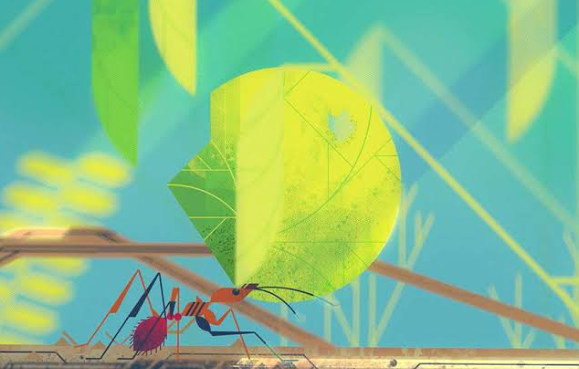
Motion graphics combine graphic design with movement, allowing static visual elements to become more engaging, expressive, and informative. From animated logos and social media posts to title sequences, explainer videos, and digital advertisements, motion graphics are now widely used across branding, marketing, entertainment, and user interface design.
The best Motion Graphics Design Ideas are not only visually impressive but also purposeful. Good motion design should guide attention, communicate information clearly, and strengthen the overall visual identity of a project. Whether you are a beginner or an experienced designer, experimenting with different styles and techniques can help you create more memorable digital content.
Animated Typography
Typography is one of the most versatile elements in motion design.
Instead of displaying static text, designers can animate words, letters, and sentences to emphasize meaning.
Text can slide, rotate, stretch, fade, scale, or appear one letter at a time.
Kinetic typography is especially useful for promotional videos, lyric videos, social media posts, and title sequences.
For a clean result, avoid using too many animation styles at once. A simple movement that matches the tone of the message is often more effective than excessive effects.
Logo Animation
Animated logos are among the most popular Motion Graphics Design Ideas for branding.
A logo can appear through rotation, scaling, line drawing, shape transformation, or particle effects.
The animation should reflect the brand personality.
A technology company may use smooth geometric movement, while a playful brand might use bounce or elastic motion.
Keep logo animations relatively short so they remain suitable for intros, social media, presentations, and digital advertisements.
The goal is to make the logo more memorable without changing its core identity.
Geometric Shape Animation
Simple geometric shapes can create surprisingly dynamic motion graphics.
Circles, rectangles, lines, and polygons can move, rotate, overlap, and transform into new compositions.
This style works particularly well for modern and minimalist design.
Geometric animation is often used in brand videos, technology presentations, and abstract background sequences.
Designers can create visual rhythm by repeating shapes or synchronizing movements with music.
A limited color palette can help keep the composition clean.
Morphing Shapes
Morphing involves transforming one shape smoothly into another.
For example, a circle can become a square, an icon can transform into text, or one illustration can gradually change into another.
This technique is useful for creating seamless transitions between scenes.
Morphing can also help communicate relationships between ideas.
For example, an environmental animation might transform a water droplet into a plant to visually connect water with growth.
The most successful morphing animations feel natural rather than forced.
Animated Infographics
Motion graphics can make data easier to understand.
Charts, numbers, icons, and diagrams can be animated to guide viewers through information step by step.
Bar charts can grow upward, percentages can count from zero, and icons can appear as they are discussed.
Animated infographics are particularly effective in presentations, educational videos, reports, and social media content.
Instead of showing all information at once, motion can control the order in which viewers see each detail.
This helps reduce visual overload.
Isometric Motion Graphics
Isometric design creates the appearance of three-dimensional space using flat graphic elements.
Buildings, vehicles, rooms, devices, and city scenes can all be designed in an isometric style.
Animating these elements can create detailed visual stories without requiring full 3D modeling.
For example, an isometric office scene might show people moving between desks, screens changing, and objects appearing as part of a workflow.
This style is often used for technology, business, architecture, and educational content.
Loop Animations
Loop animations are short sequences designed to repeat continuously.
They are especially useful for social media, websites, digital displays, and background visuals.
A successful loop should transition smoothly from the last frame back to the first.
Examples include rotating objects, bouncing shapes, moving patterns, or endlessly transforming illustrations.
Loop animations work best when they are simple enough to repeat without becoming distracting.
Liquid Motion Effects
Liquid animation uses flowing, organic shapes that appear to melt, stretch, or merge.
These effects can create a more playful and experimental visual style.
Liquid motion is often used in music visuals, promotional graphics, fashion content, and creative branding.
Bright colors and smooth transitions can make the effect especially striking.
However, designers should use liquid animation carefully because complex movement can quickly overwhelm text or important information.
Particle Animation
Particle systems can create effects such as dust, sparks, smoke, snow, stars, or digital fragments.
Particles are useful for adding depth and atmosphere to motion graphics.
They can also be used to reveal text or logos.
For example, a logo might appear as thousands of small particles gather together to form its shape.
Particle animation is common in cinematic intros, technology visuals, music videos, and event graphics.
The scale and movement of the particles should match the overall mood of the project.
Glitch Effects
Glitch design takes inspiration from digital errors, screen distortion, and broken signals.
Common visual elements include RGB separation, scan lines, pixel displacement, and sudden image shifts.
Glitch effects work well for technology, gaming, cyberpunk, music, and experimental digital projects.
Because the style is visually intense, it is usually most effective in short bursts.
Using too much distortion can make text difficult to read and reduce the impact of the effect.
3D Motion Graphics
Three-dimensional motion graphics can add depth and realism to digital projects.
Designers can animate products, typography, abstract objects, or entire environments.
3D motion is frequently used in advertising, product visualization, technology presentations, and title sequences.
A product animation, for example, can rotate an object, separate its components, and show details that would be difficult to explain with static images.
Combining 3D elements with simple 2D graphics can also create interesting visual contrast.
Animated Icons
Icons are ideal for short and functional animations.
A download icon might move downward, a heart might pulse, or a notification bell might shake.
Animated icons can improve user interfaces by showing that an action has occurred.
They can also be used in explainer videos and presentations.
The movement should be quick and easy to understand.
Because icons are small, simple animation usually works better than complex effects.
Social Media Motion Graphics
Motion graphics are especially useful for social media because movement can attract attention in crowded feeds.
Static posters can be transformed into animated posts by adding moving text, transitions, icons, or backgrounds.
Designers can create promotional announcements, event graphics, product highlights, or educational content.
Short animations are usually more effective than long sequences.
Make sure important text remains visible long enough to read, especially on mobile devices.
Motion Graphics for Product Promotion
Products can be presented more dynamically through animation.
Designers can highlight features, dimensions, colors, or functions using animated callouts and transitions.
For example, a smartphone animation might show the device rotating while text labels identify different features.
Motion graphics can also demonstrate how a product works.
This approach is commonly used in online advertising, ecommerce, technology marketing, and product launches.
Seamless Scene Transitions
Creative transitions can connect different scenes without relying on simple cuts.
One object can move across the screen and become part of the next scene.
A circle might expand to fill the frame before revealing a new image.
Text can also move off-screen while introducing another visual element.
These transitions can make a motion graphics project feel more polished and connected.
However, transitions should support the story rather than distracting from it.
Minimalist Motion Design
Motion graphics do not always need complicated effects.
Minimalist animation uses simple shapes, limited colors, clean typography, and controlled movement.
This style works well for corporate presentations, modern branding, technology companies, and user interfaces.
Small movements can have a strong impact when they are carefully timed.
Minimalist motion design is also easier to combine with text because the visuals do not compete for attention.
Retro Motion Graphics
Retro-inspired design can give motion graphics a distinctive personality.
Styles can draw from different periods, including 1950s advertising, 1970s typography, 1980s neon graphics, or 1990s digital aesthetics.
Retro motion graphics may include grain textures, bold colors, vintage fonts, geometric patterns, and analog-style transitions.
This approach works particularly well for music, fashion, events, and entertainment projects.
Motion Graphics With Sound
Sound can make motion design feel much more complete.
Short sound effects can emphasize movements, transitions, and interactions.
For example, a small click sound can accompany an icon animation, while a deeper sound may emphasize a large shape entering the screen.
Music can also influence the rhythm of the animation.
Designers often synchronize movement with beats, creating a stronger connection between visuals and audio.
However, the motion should still communicate clearly when viewed without sound.
Use Motion to Tell a Visual Story
Some of the strongest Motion Graphics Design Ideas are based on storytelling rather than effects.
A sequence can introduce a problem, explain a process, and present a solution using only simple graphic elements.
Characters, icons, typography, and abstract shapes can all contribute to a visual narrative.
Planning the story before animating helps maintain consistency.
A storyboard can be useful for organizing scenes, transitions, and timing before production begins.
Keep Motion Purposeful
Successful motion graphics are not simply about making everything move.
Every animation should have a reason.
Movement can guide attention, show relationships, explain changes, create emotional impact, or strengthen a brand identity.
Too many effects can make a project feel confusing and reduce visual hierarchy.
The best Motion Graphics Design Ideas balance creativity with clarity. Animated typography, geometric shapes, 3D elements, looping scenes, infographics, and product animations can all be effective when they support the message.
By experimenting with different styles while keeping communication as the main goal, designers can create motion graphics that are visually engaging, useful, and memorable.